
Shopify Theme Installation
Core Components and App Pixel
Retail Cloud Connect uses two Shopify components to capture storefront user events correctly: an App Embed and an App Pixel. Enable both to collect model training data, segment visitors into Shopify markets, and capture conversions.

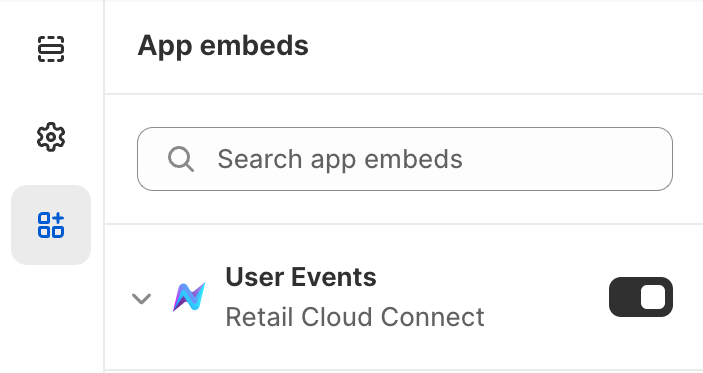
- When Enable App Embed is clicked, Shopify opens the Theme Editor for the current theme
- Confirm that the Core Components App Embed is activated, then click Save to exit the Theme Editor
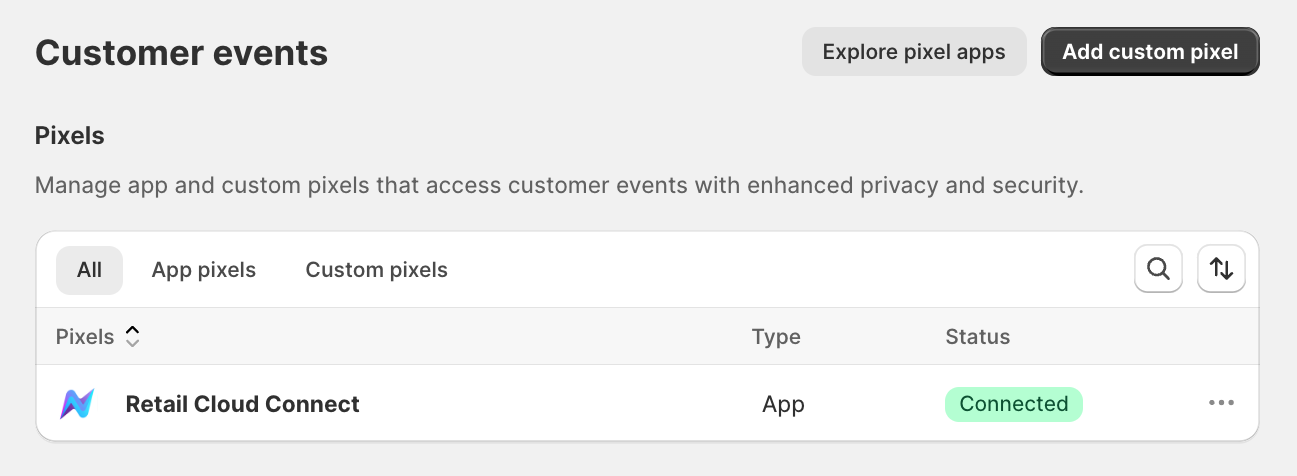
- Shopify uses App Pixels to create strict, isolated environments on the online store. Retail Cloud Connect uses Shopify-controlled APIs to support performance, security, and privacy for merchants and shoppers.
- All pixels, including the Retail Cloud Connect App Pixel, are visible in the Customer events page of Shopify settings.
Training on Existing Traffic
The Core Components App Embed also supports optional training on existing Shopify storefront traffic before the store fully switches to Nimstrata search and browse results. It also runs configured search redirects early in the page lifecycle.
Current options include:
- Track Shopify Search Results
- Track Shopify Collection Pages
This can be helpful when merchants want to:
- Prepare for an A/B test
- Let AI Commerce Search learn from existing shopper behavior
- Gather training data before launching a new search experience
Cookies
The Core Components App Embed and App Pixel use these first-party Shopify storefront cookies:
Consent permits Retail Cloud Connect to create a cookie; it does not automatically create cookies that also require a selected place or an enabled tracking setting. Retail Cloud Connect reevaluates consent when Shopify reports a change, so grants take effect without a reload and withdrawn consent removes the affected cookies. Removing rcc-visitor-id also clears the visitor ID stored on the cart.
When Shopify's customer privacy API is unavailable, Retail Cloud Connect assumes cookie processing is allowed. These are persistent cookies rather than session cookies: visitor and place cookies retain their one-year lifetime, while identity, market, and enabled tracking cookies retain their far-future expiry.
Search results continue to work without these cookies. Without rcc-visitor-id, requests use an unpersisted visitor ID and lose stable personalization across requests. Without rcc-place-id, the selected local-inventory location does not persist across page loads. Identity and market cookies provide analytics attribution; the tracking cookies separately control capture of Shopify-native search and collection traffic.
Shopify merchants are responsible for accurately classifying cookies within their designated cookie management tools.
AI Commerce Search personalization is limited to the Shopify storefront. It is not used for external ad targeting. For more details, review the Google Cloud terms also referenced in Nimstrata's Privacy Policy and Terms & Conditions:
Online Store 1.0 Theme Assets
Nimstrata hosts static assets on Cloudflare's CDN for Shopify merchants using Online Store 1.0 or other manual theme installs where Shopify App Blocks are not available.
Additional Guidance
For best performance, only include assets when they are required to render App Blocks, for example:
{% # Your theme.liquid file %}

{%- if request.page_type == 'search' or request.page_type == 'collection' %}
    <link rel="stylesheet" href="https://assets.retailconnect.app/shopify/latest/search-react.css">
    <script defer src="https://assets.retailconnect.app/shopify/latest/search-react.js"></script>
{%- endif %}

{%- if request.page_type == 'product'
  or request.page_type == 'collection'
  or request.page_type == 'cart'
  or request.page_type == 'index'
  or request.page_type == 'page'
  or request.page_type == 'blog'
  or request.page_type == 'article'
%}
    <link rel="stylesheet" href="https://assets.retailconnect.app/shopify/latest/recommendation-react.css">
    <script defer src="https://assets.retailconnect.app/shopify/latest/recommendation-react.js"></script>
{%- endif %}

{%- if request.page_type == 'page' %}
    <link rel="stylesheet" href="https://assets.retailconnect.app/shopify/latest/document.css">
    <script defer src="https://assets.retailconnect.app/shopify/latest/document.js"></script>
{%- endif %}
For Online Store 1.0 translations, enable Enable translations on 1.0 themes in the Core Components App Embed. Online Store 2.0 App Blocks generate these values automatically. See Window Nimstrata Properties and nimstrata.liquid Setup before adding custom storefront JavaScript.
Product Card Builder and Styles
Use the following pages to customize how App Blocks look and behave:
- Product Card Builder to design the storefront product card
- Styling App Blocks to apply custom CSS
- Custom Components for advanced product card behavior
- Content Inside Search and Collection Grids for promotions, ads, or editorial content between search and collection product cards
- Custom No Results Page for branded search and collection empty states
- App Block Events for analytics, cart UI, rendered-grid events, reactive search state, and runtime filter or collection changes